







What Is FRP Lock? The Complete Android Security Guide (2026)
What is FRP lock, and why is it suddenly stopping you from using your Android smartphone after a simple system reset?
Imagine buying a shiny second-hand phone online from a friendly local seller.
You unbox the package with excitement and turn on the screen.
First, you press the factory reset button to erase everything clean so it feels brand new.
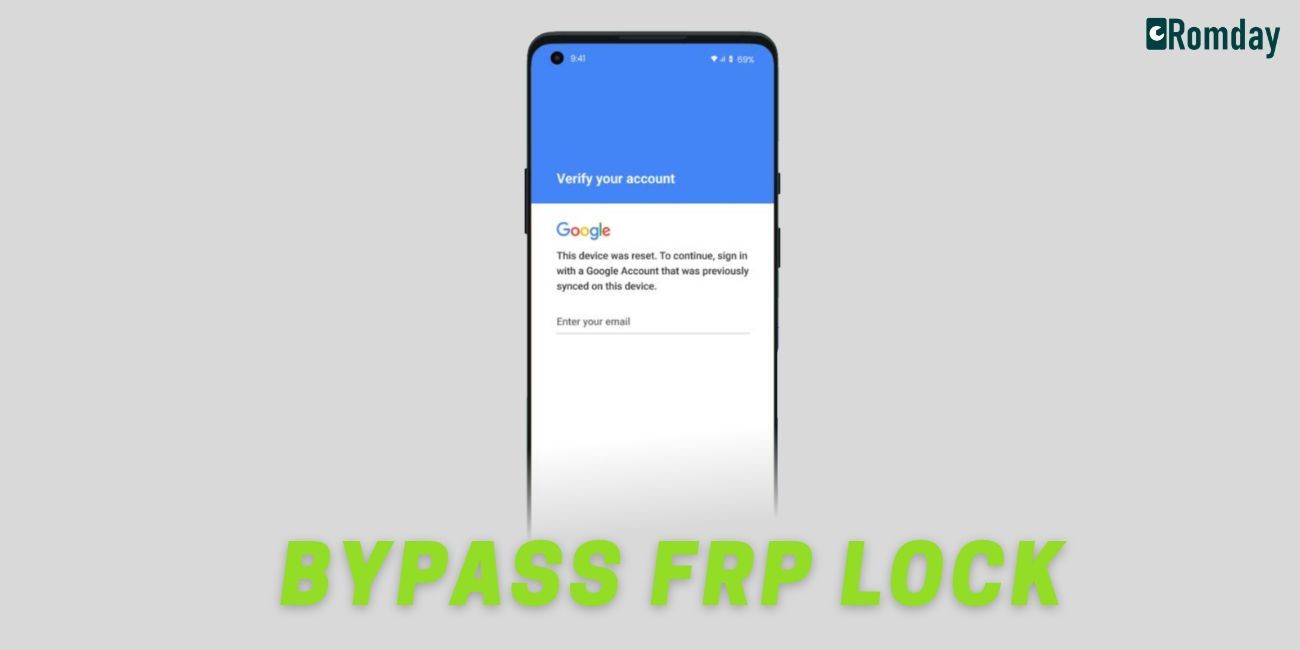
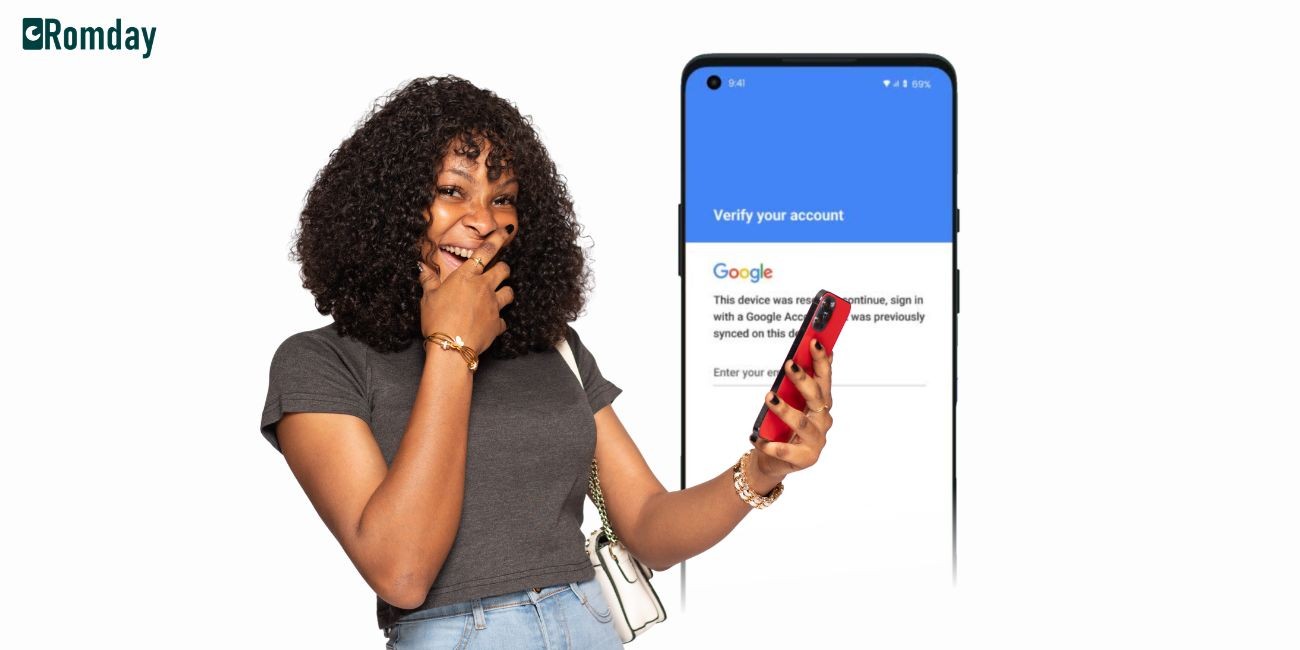
However, right when you reach the startup screen, a bright blue banner pops up demanding a previously synced Google account email and password.
Because you do not know the seller's old login credentials, your newly purchased smartphone turns into an expensive paperweight.
In fact, millions of smartphone owners experience this exact scenario every single year when they encounter Factory Reset Protection for the very first time.
Fortunately, this guardrail is not designed to ruin your day, but rather to protect your personal data from phone thieves.
In this comprehensive guide, we will break down everything you need to know about this built-in protection system in plain language that anyone can easily understand.
Understanding What Is FRP Lock Through a Real-Life Story
To really understand this concept, let us look at a quick story about an middle school student named Alex.
Alex received an Android phone for his birthday last year.
He set up a cool lock screen pattern, linked his personal Gmail account, and downloaded his favorite games.
One afternoon while playing basketball at the park, Alex accidentally dropped his backpack.
Unfortunately, somebody found the bag and decided to keep the phone inside.
The person who took the phone tried to unlock the screen, but they could not guess Alex's secret pattern.
Therefore, they decided to force a hard factory reset using the physical side buttons of the phone.
They assumed that wiping the memory would erase the lock pattern and give them complete access to a fresh device.
However, when the phone booted up after the reset, a security prompt appeared on the display.
The screen clearly stated: "This device was reset. To continue, sign in with a Google Account that was previously synced on this device."
Because the intruder did not know Alex's private password, they could not bypass the setup screen.
As a result, Alex's private photos, messages, and saved games remained completely safe from unauthorized eyes.
This protective guard screen is exactly what we call Factory Reset Protection in the digital world.
How What Is FRP Lock Works Behind the Scenes
In simple terms, Factory Reset Protection acts like a digital guard dog inside your phone operating system.
Google introduced this feature alongside the release of Android 5.1 Lollipop back in 2015.
Today, nearly every modern Android smartphone and tablet comes with this protective feature automatically turned on.
When you add a Google account to your device, the system writes a unique security key into a protected area of memory.
Consequently, this key stays intact even if someone tries to wipe the main storage.
If you perform a factory reset through your phone settings menu, the system knows that you are the rightful owner.
That is because you had to enter your screen lock PIN or fingerprint to open the settings menu in the first place.
On the other hand, if someone resets the phone using hardware buttons or recovery mode, the security system gets suspicious.
In that situation, the device assumes an unauthorized user is attempting to hijack your hardware.
Therefore, it triggers the guard screen and demands the original Google login details before allowing any further access.
Without those exact credentials, the setup wizard will refuse to proceed to the home screen.
Why Google Introduced What Is FRP Lock Security
Before this security system existed, stealing smartphones was unfortunately very easy and lucrative for thieves.
A thief could simply grab a stolen phone, press a combination of physical buttons, and wipe out all user data in under two minutes.
Afterward, they could immediately sell the clean device to an unsuspecting buyer on the street.
Because stolen phones could be erased so easily, smartphone theft became a massive global problem.
To solve this issue, tech companies created hardware-level protection standards for mobile operating systems.
For instance, Apple created Activation Lock for iPhones, while Google created Factory Reset Protection for Android devices.
Because of these features, a stolen phone becomes completely useless to anyone who does not possess the owner's password.
As a result, street theft of mobile devices dropped significantly because stolen hardware lost its resale value.
What Triggers What Is FRP Lock on Your Android Device
Understanding what actions activate this security wall can save you from getting accidentally locked out of your own device.
First of all, performing an untrusted factory reset is the primary cause of this issue.
Here are the main situations that cause the security prompt to show up:
Hardware Button Reset: Wiping your phone through the Android Recovery menu using the volume and power buttons.
Remote Device Wipe: Using Google's "Find My Device" tool to erase your lost phone from a computer browser.
Third-Party Repair Tools: Flushing the firmware using unofficial flashing software without removing accounts first.
Forced System Flashes: Re-installing operating system files when the phone software becomes corrupted.
Furthermore, changing your Google account password right before performing a reset will trigger an extra security delay.
Google intentionally enforces a 24-hour waiting period if a password was recently changed.
This safety buffer prevents thieves from changing a stolen account password and immediately resetting the phone.
How to Avoid What Is FRP Lock Troubles
Fortunately, preventing an accidental lockout is very simple if you follow a few basic habits.
If you plan to sell, donate, or trade in your Android device, you must remove your accounts beforehand.
Here is the step-by-step process you should always follow before passing your phone to someone else:
Step 1: Remove All Accounts Properly
To begin with, open your device Settings app.
Next, scroll down and tap on Accounts and Backup (or Users & Accounts on some models).
Then, select your Google Account from the list.
After that, tap on Remove Account and confirm your choice.
Finally, enter your screen lock PIN or pattern to authorize the removal.
Step 2: Reset Through System Settings
Once you remove your Google account, the security lock disarms automatically.
Now, navigate to Settings > General Management > Reset > Factory Data Reset.
Because you are resetting from inside the authorized settings menu, the phone will wipe cleanly without locking the next owner out.
In fact, taking these extra two minutes will save both you and the buyer a massive headache.
Resolving What Is FRP Lock When You Are Locked Out
What should you do if you accidentally lock yourself out of your own phone?
Perhaps you forgot the password to an old Gmail account that you created years ago.
Alternatively, maybe you bought a used phone and the seller forgot to remove their account before shipping it to you.
Do not panic, because you still have legitimate solutions available.
Method 1: Recover Your Google Account Details
First, try resetting your Google account password using a laptop or another mobile device.
Visit the official Google Account Recovery page on your internet browser.
Then, enter your recovery phone number or secondary email address to receive a verification code.
Once you create a new password, wait at least 24 hours before trying to log into the locked phone.
This waiting period is essential because Google requires time to sync the new security credentials across all servers.
Method 2: Contact the Original Owner
If you purchased a used phone, reach out directly to the original seller.
You can ask them to enter their login details on the device in person so you can set it up.
If they live far away, they can actually unlock it remotely through their Google account settings.
They simply need to visit
Consequently, the lock screen on your phone will clear as soon as the device connects to Wi-Fi.
Method 3: Provide Proof of Purchase to the Manufacturer
If all else fails, you can take your phone to an authorized service center of your phone brand.
However, you must bring your original sales receipt and valid photo identification.
The service technicians can verify that you legally own the device and flash the original factory software to restore full access.
Final Thoughts on Android Security
In conclusion, knowing what is FRP lock helps you navigate mobile security with complete confidence.
While getting locked out of a device can certainly feel frustrating in the moment, remember that this system exists to protect your privacy.
It turns your smartphone into a secure vault that keeps bad actors away from your photos, bank apps, and messages.
By properly removing your Google account before resetting your phone, you can enjoy all the security benefits without any of the hassle.
Recent Posts